
Access Your ICAN Patient Portal
The Patient Portal is where families can view appointments, complete forms, upload documents, access visit summaries and reports, and review billing details.
Access the Patient PortalFirst Time Logging In?
Enter your email address on the portal login screen, then select Forgot Password to receive a password reset link.
Each authorized parent or caregiver can log in using their own email address and password.
Need help logging in? Call 425-657-0620, Monday–Friday, 9am–5pm.
What Do You Need to Do?
Complete Medical History
Complete required medical history forms before your appointment.
Upload Documents
Upload insurance cards, referrals, IEPs, outside evaluations, or release forms.
View Reports or Summaries
Find home programs, diagnostic reports, ABA reports, notes, and visit summaries.
View Appointments
View upcoming appointments and request makeup appointments from cancellations.
Update Information
Update personal information, contacts, and insurance details.
View Statements
Review billing details, statement summaries, and charge information.
Step-by-Step Portal Help
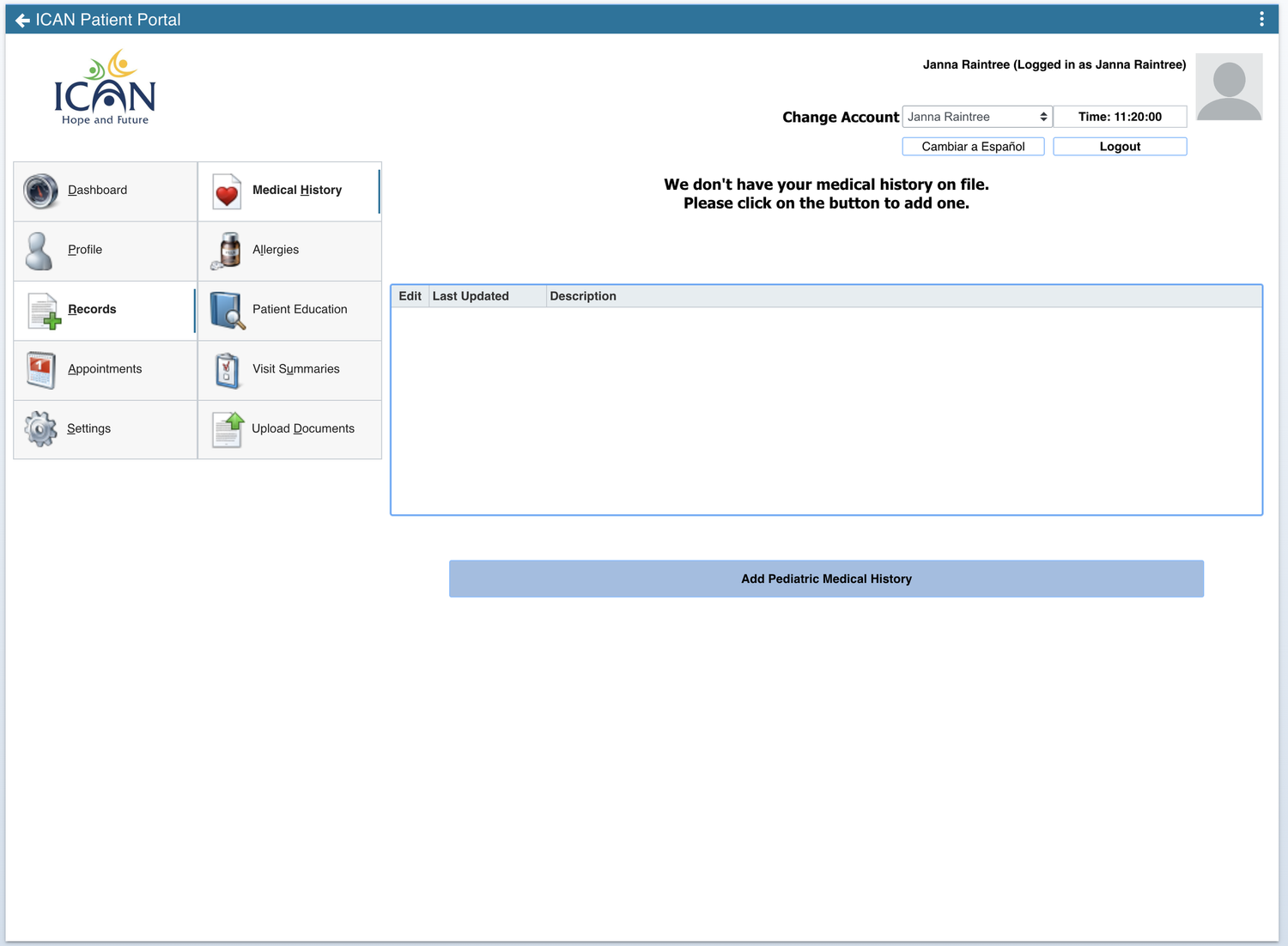
How to complete the Pediatric Medical History
To complete your child’s medical history, go to:
Completing this form before your appointment helps your provider prepare and allows more of the visit to focus on your child.
How to upload documents
To upload documents, go to:
You can upload documents such as:
- Insurance cards
- Provider referrals
- IEPs
- Outside evaluations
- Release of information forms
How to view reports, visit summaries, and home programs
To view reports or visit summaries, go to:
Look under Patient Education for home programs, ABA reports, and diagnostic reports.
Look under Visit Summaries for speech, occupational therapy, feeding notes, and reports.
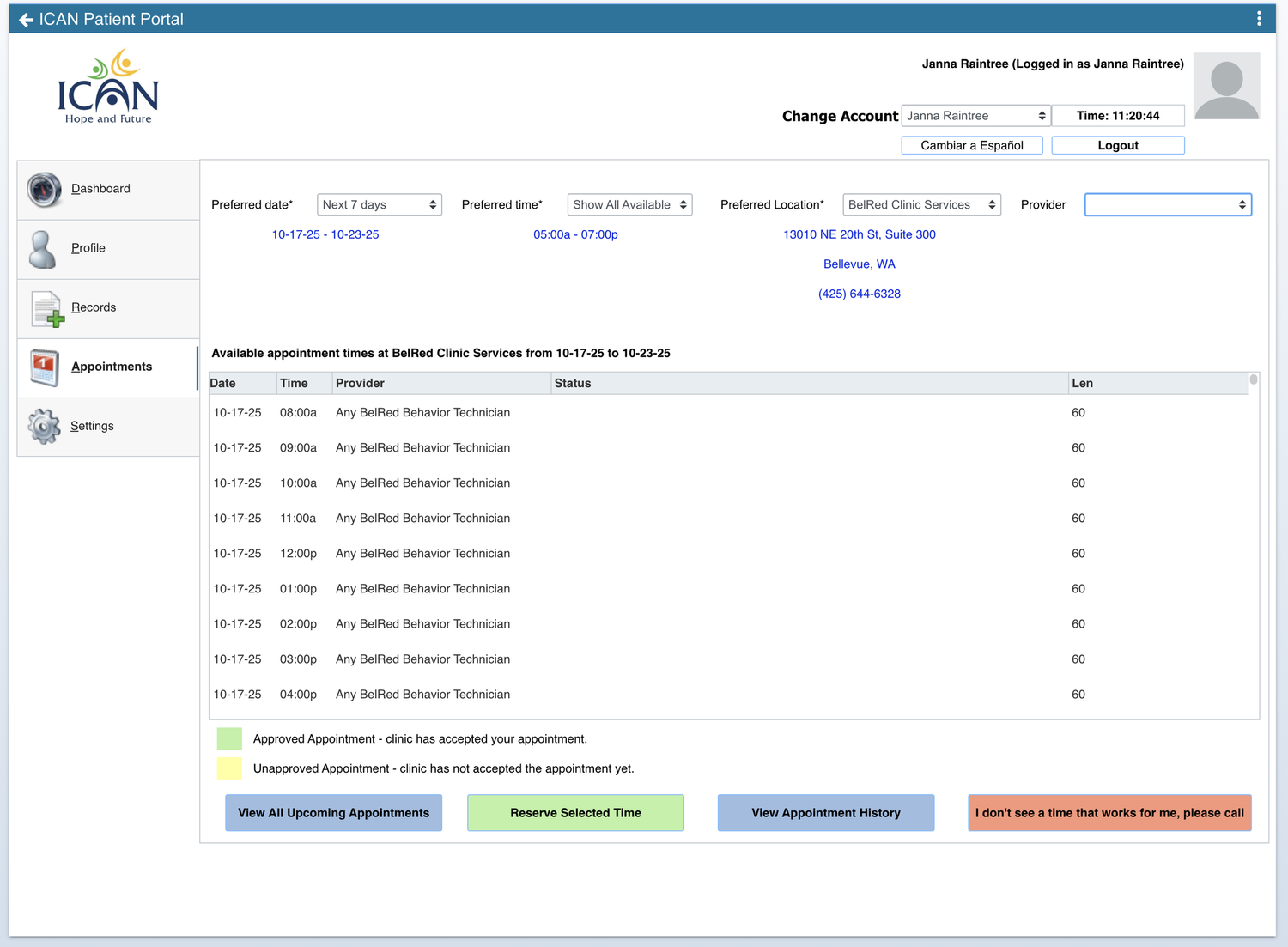
How to view appointments
To view upcoming appointments, go to:
Families can view upcoming appointments and request makeup appointments from cancellations.
How to update contact or insurance information
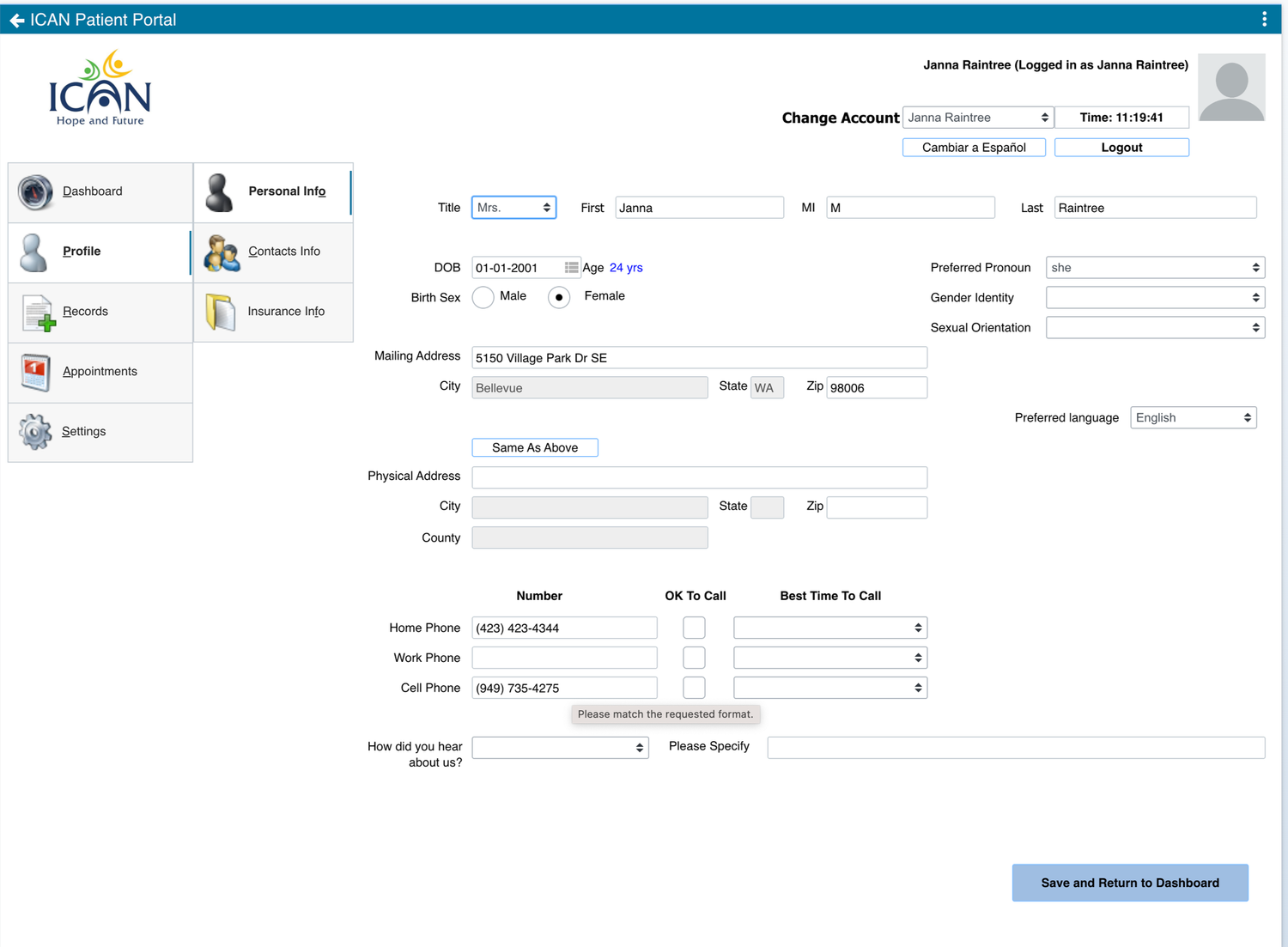
To update your family’s information, go to:
This is where you can update personal information, insurance information, and contacts.
How to view statements and billing details
From the Dashboard, click Make a Payment under Billing.
- Click Make a Payment.
- Click Show Details under Statement Summary.
- Select the detail level you want to view.
- To see charge details, select Full and click the date of service.
Important Tip
Make sure you are viewing your child’s account. Use the drop-down menu in the top-right corner of the portal to switch between guardian, child, and sibling accounts.